POS software screenshots
The screens of OTPOS Retail, free POS software for Windows. Each picture shows one task up close — click it to see the whole screen.
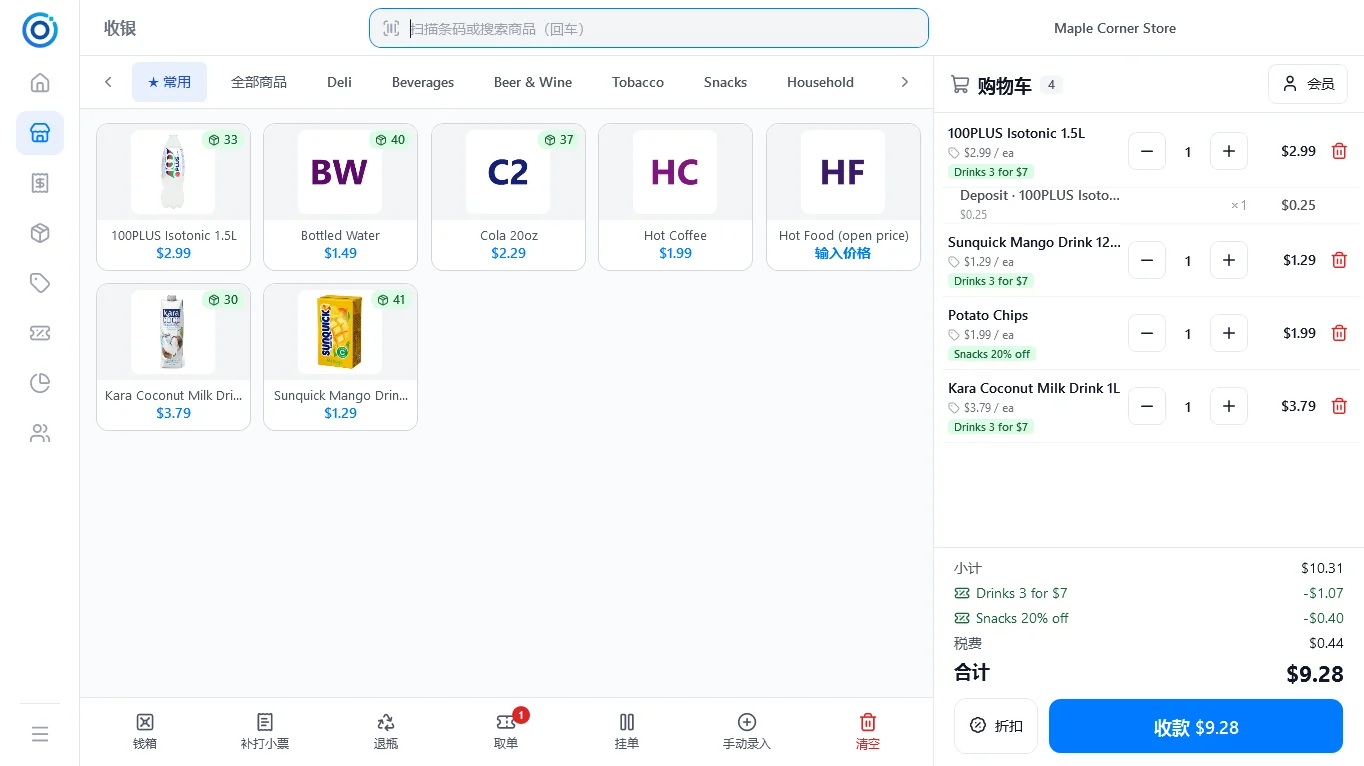
POS cash register
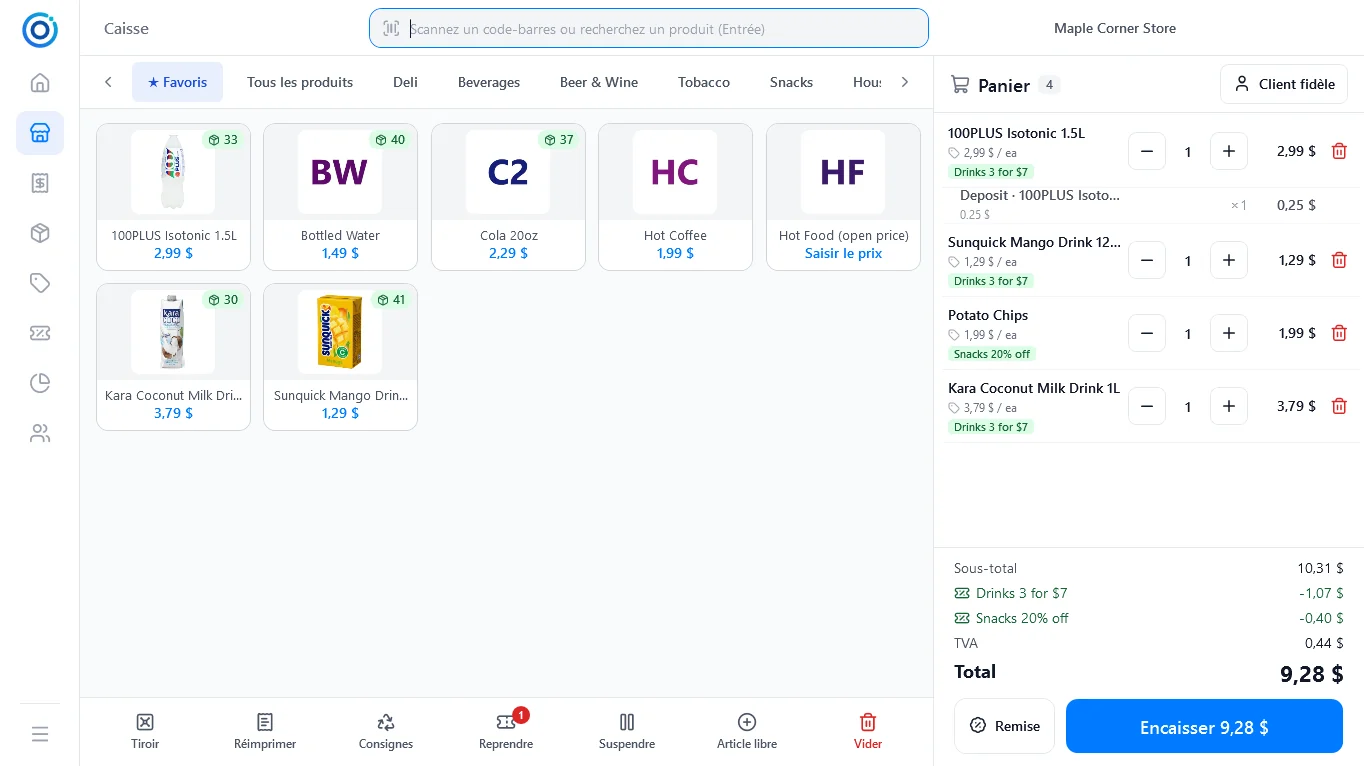
Scan, tap a tile or type 3* + scan. Promotions and bottle deposits are added automatically.
 Full screen
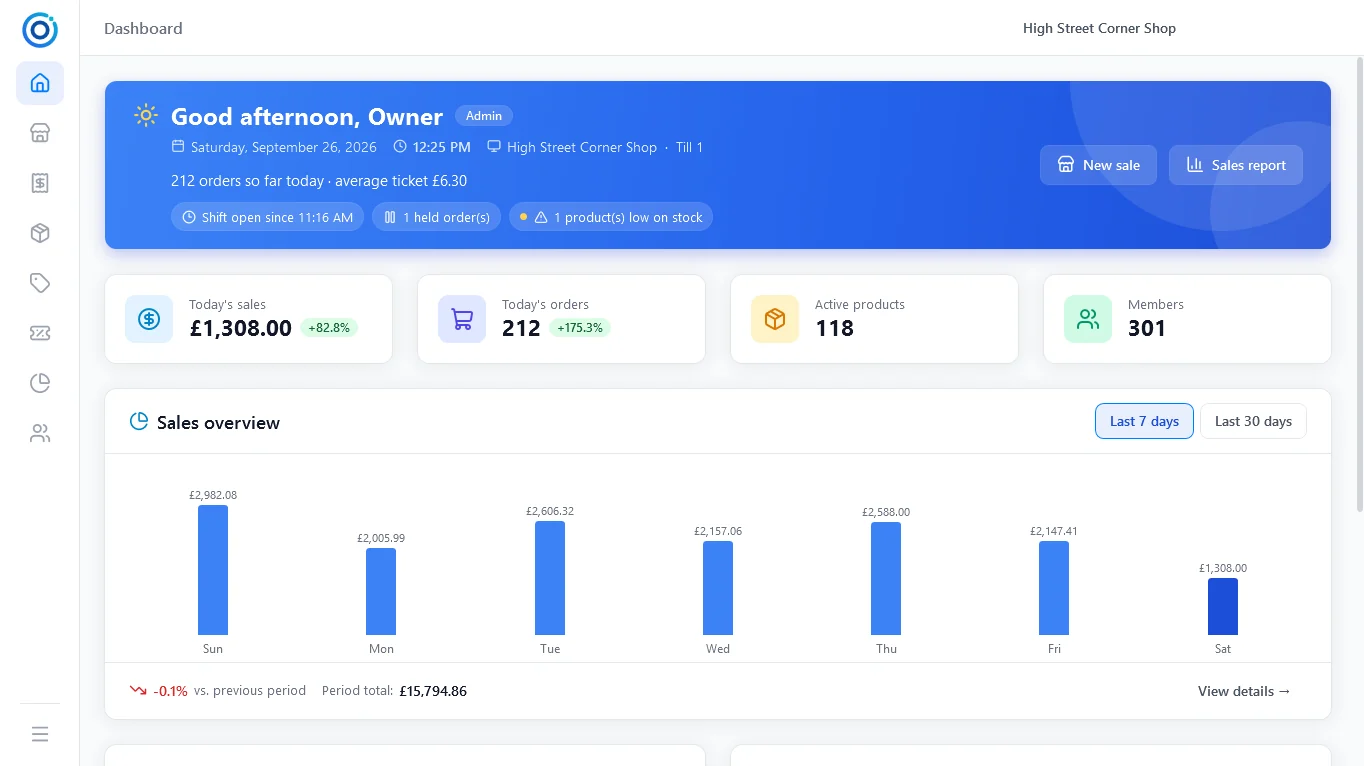
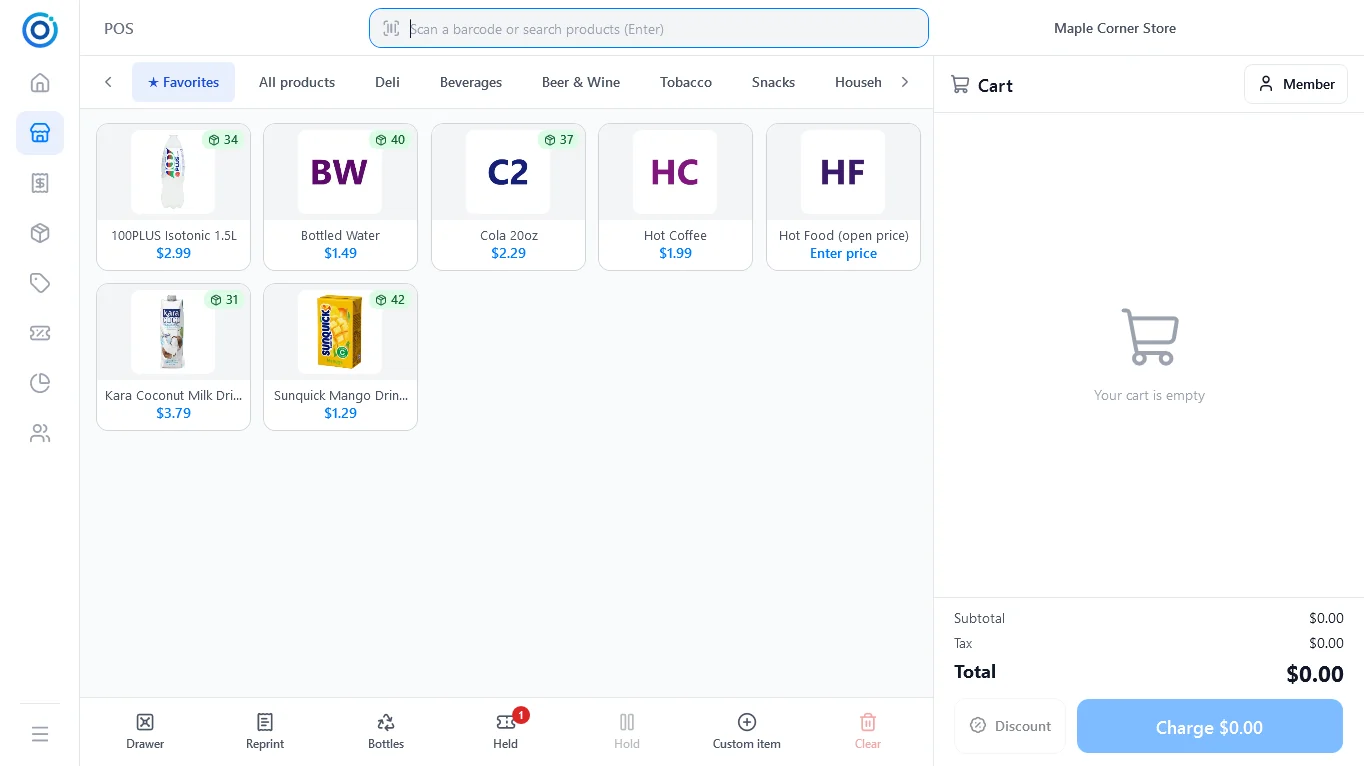
Product tiles
Category tabs, a Favorites tab for quick keys and live stock badges on every tile.
Full screen
Product tiles
Category tabs, a Favorites tab for quick keys and live stock badges on every tile.
 Full screen
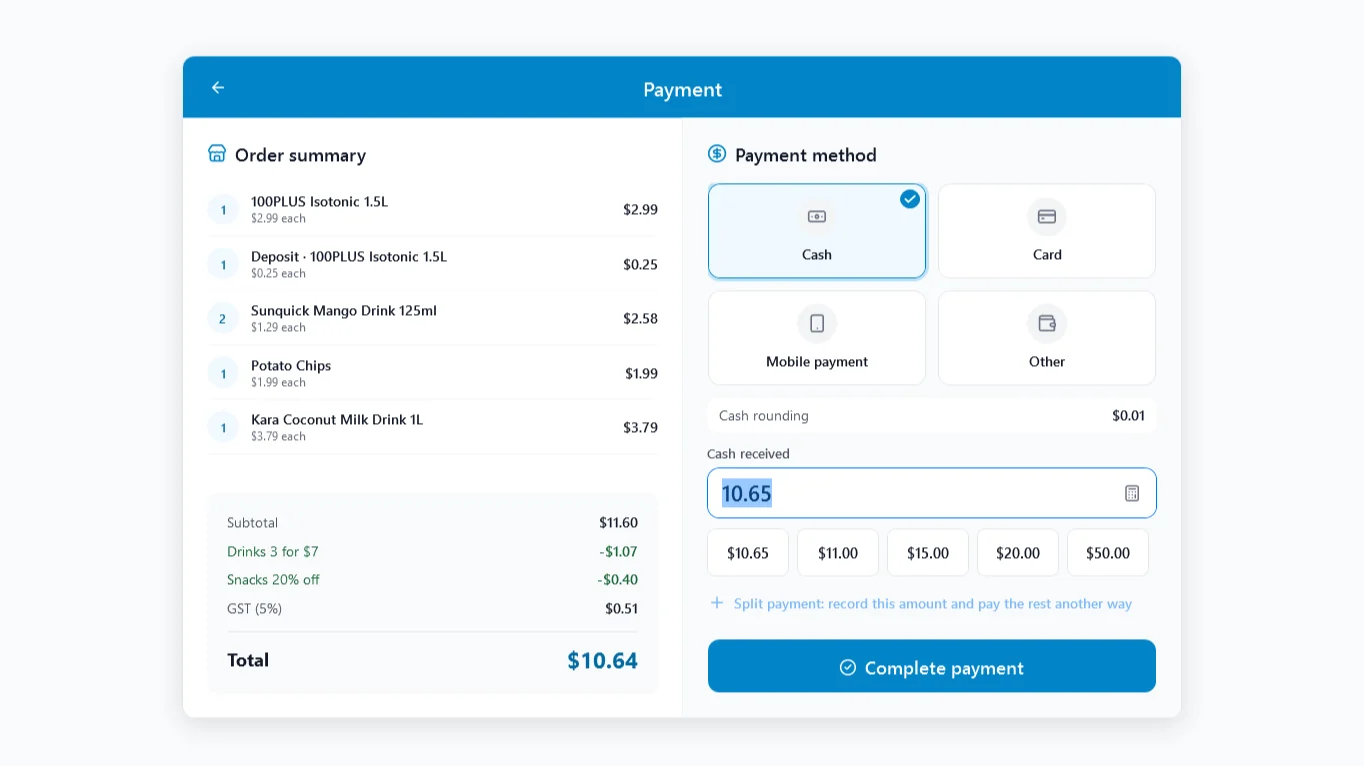
Payment
Cash, card, mobile or custom methods, quick amounts, split payment and cash rounding.
Full screen
Payment
Cash, card, mobile or custom methods, quick amounts, split payment and cash rounding.
 Full screen
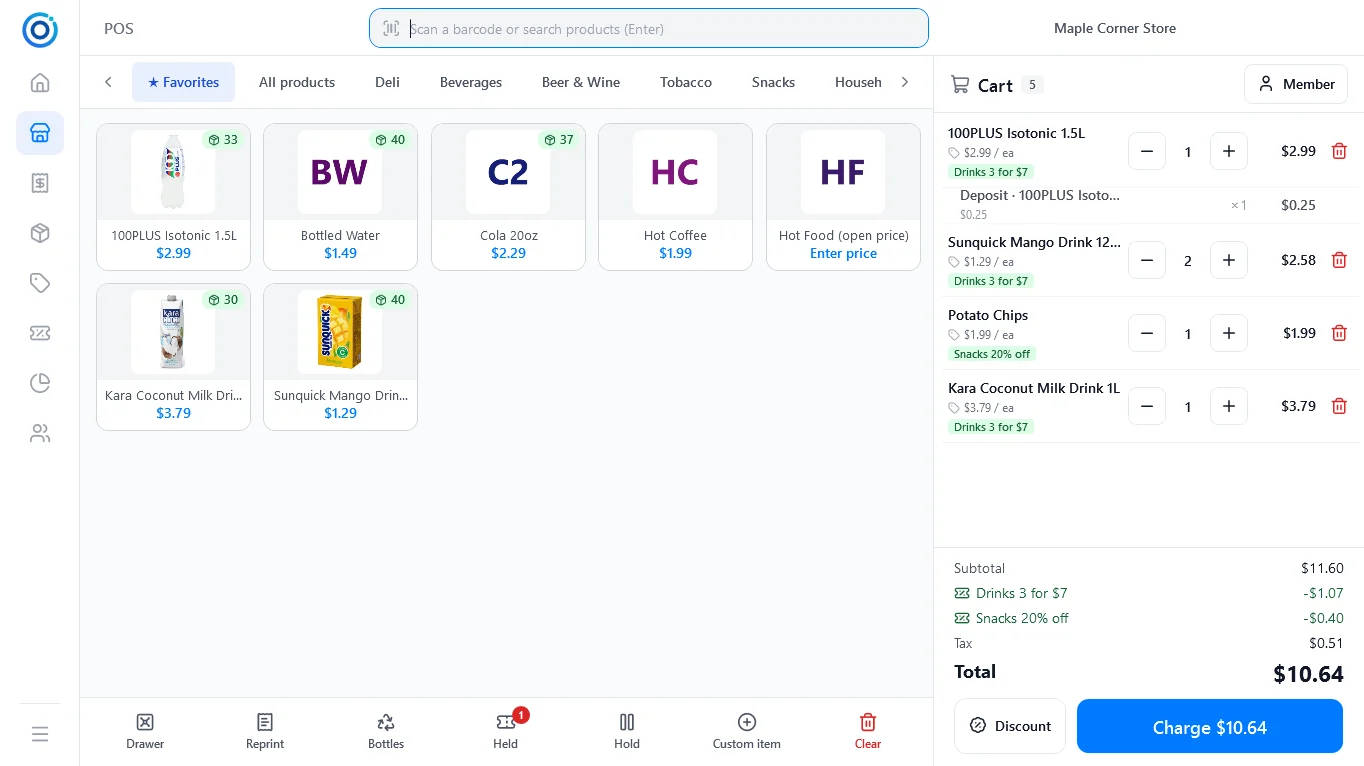
Cart
Deposit lines and promotions are added as you scan.
Full screen
Cart
Deposit lines and promotions are added as you scan.
 Full screen
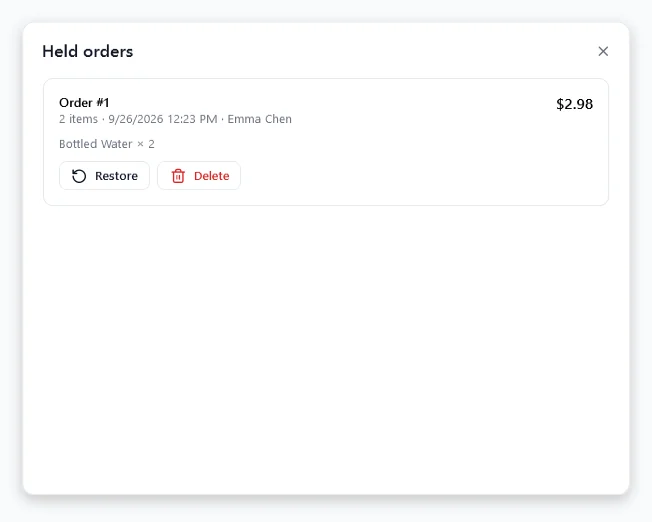
Held orders
Park a sale and restore it after serving the next customer.
Full screen
Held orders
Park a sale and restore it after serving the next customer.
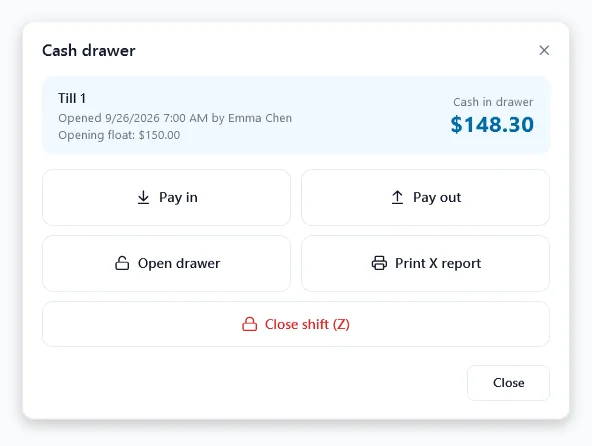
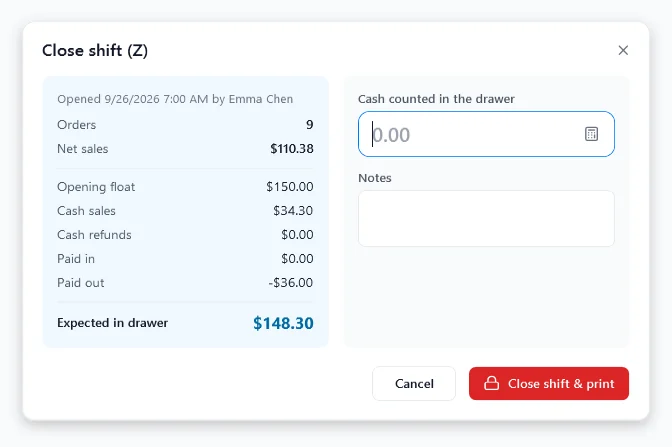
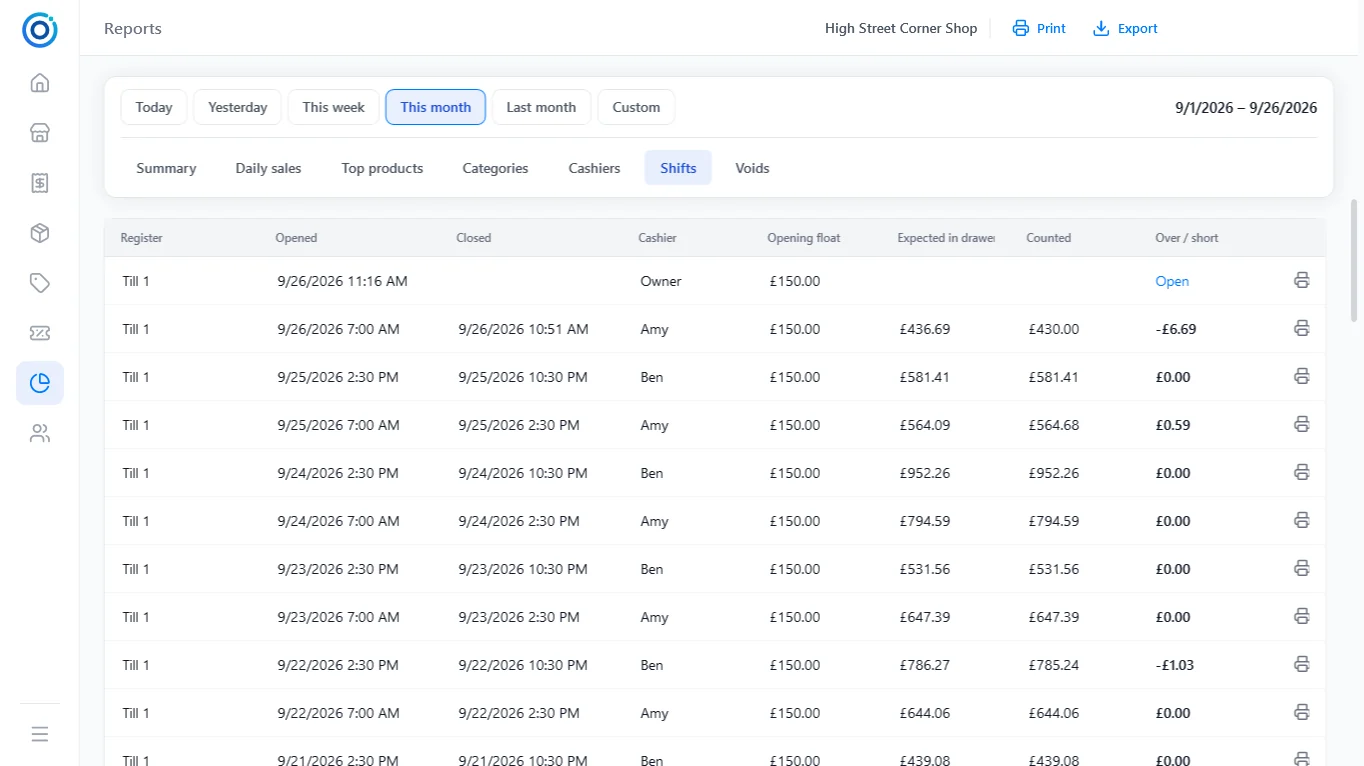
Shifts and the cash drawer
Opening float, pay-ins and pay-outs, X and Z reports, and over/short for every shift.
Products, inventory and labels
Stock goes down with every sale, and every change is recorded.
 Full screen
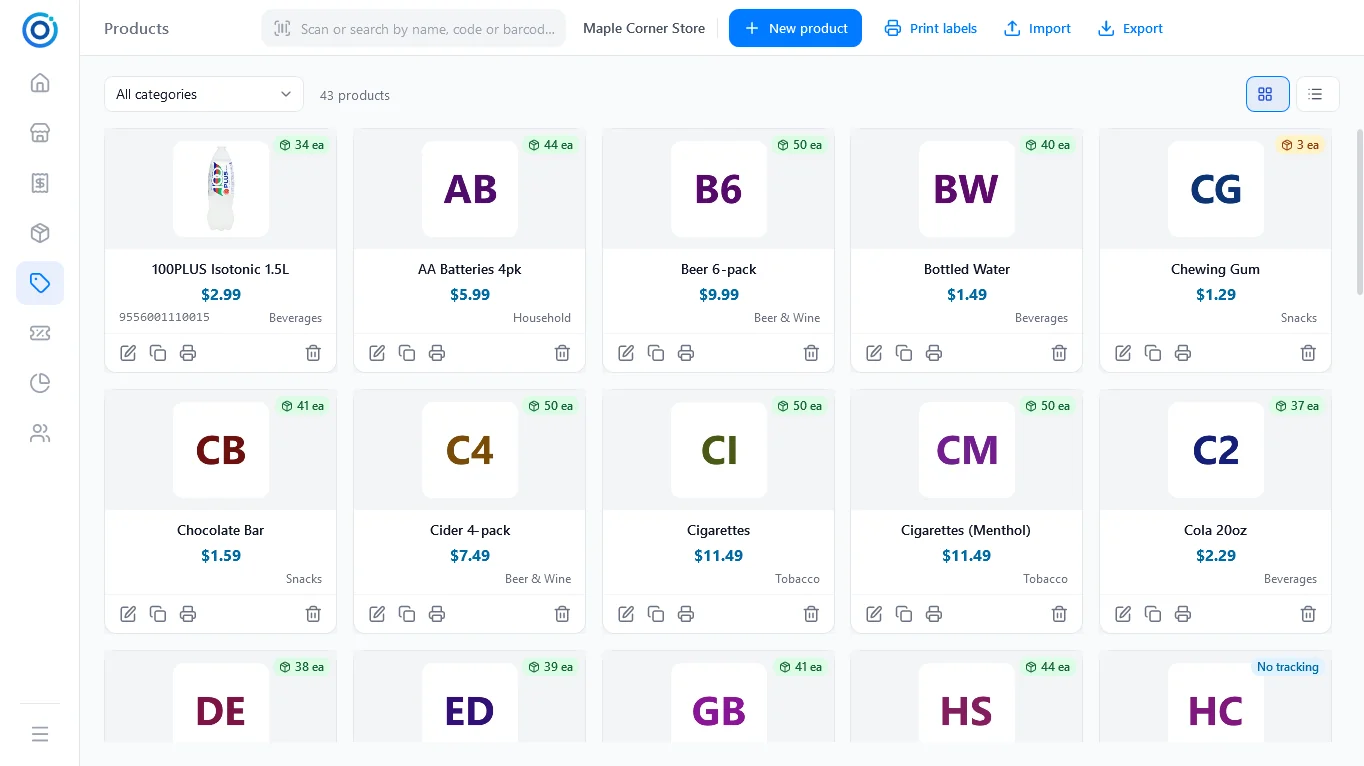
Products
Photos or initials tiles, stock badges, CSV import and export.
Full screen
Products
Photos or initials tiles, stock badges, CSV import and export.
 Full screen
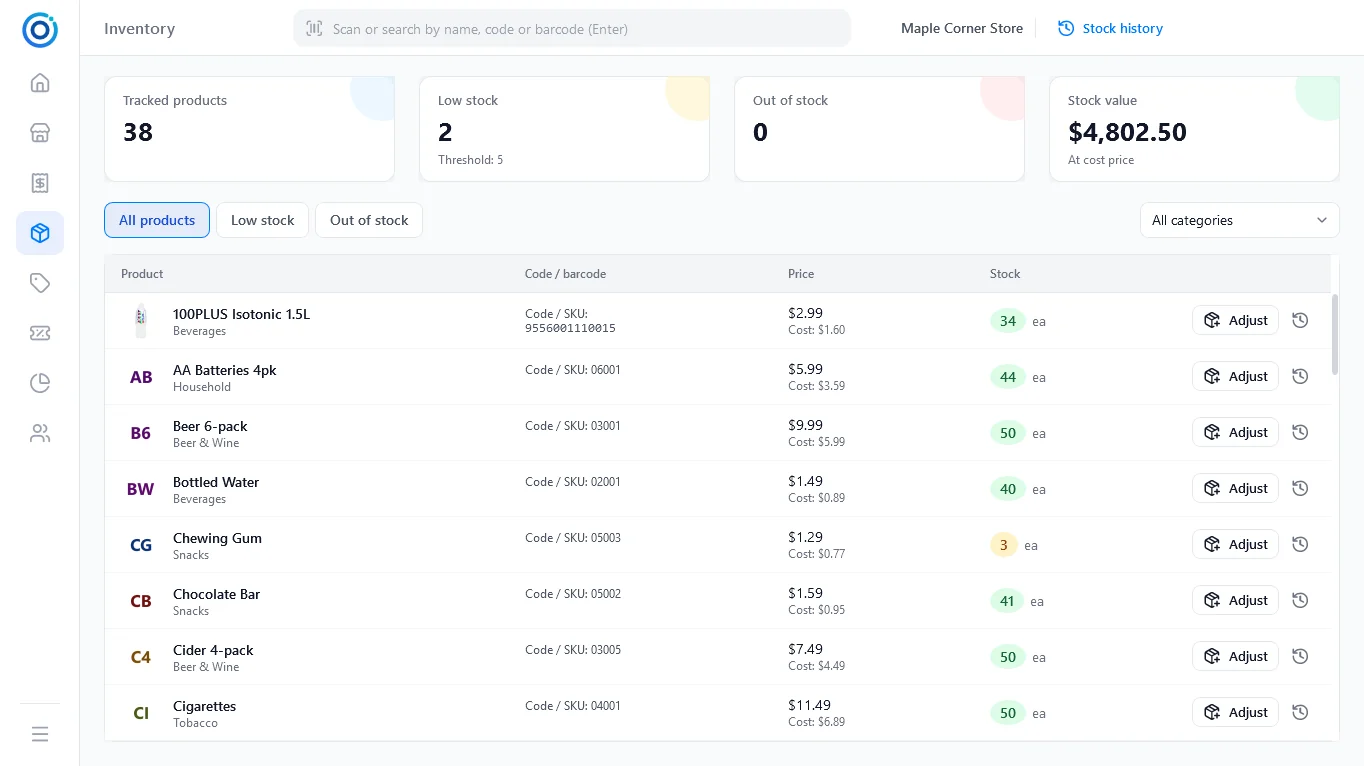
Inventory
Low-stock and out-of-stock filters and stock value at cost.
Full screen
Inventory
Low-stock and out-of-stock filters and stock value at cost.
 Full screen
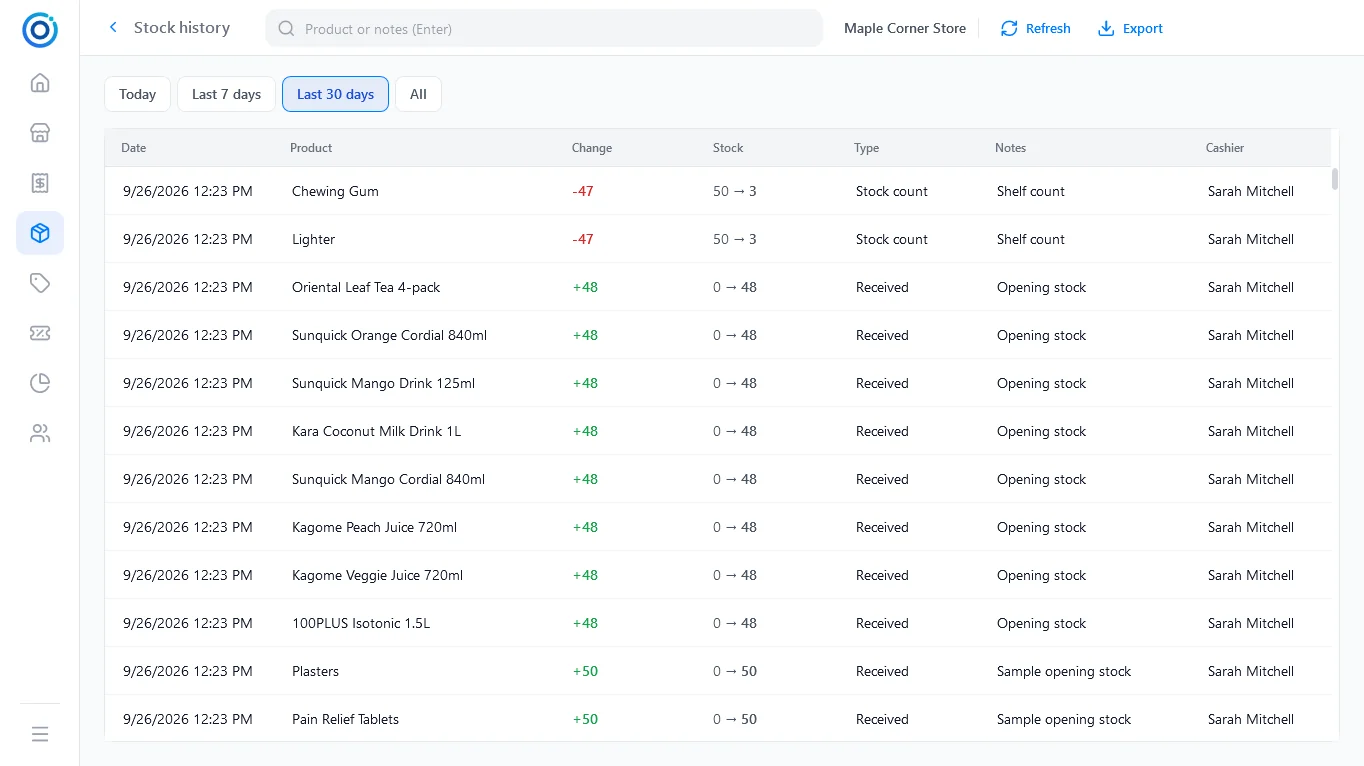
Stock history
Before and after, type of change and who made it.
Full screen
Stock history
Before and after, type of change and who made it.
 Full screen
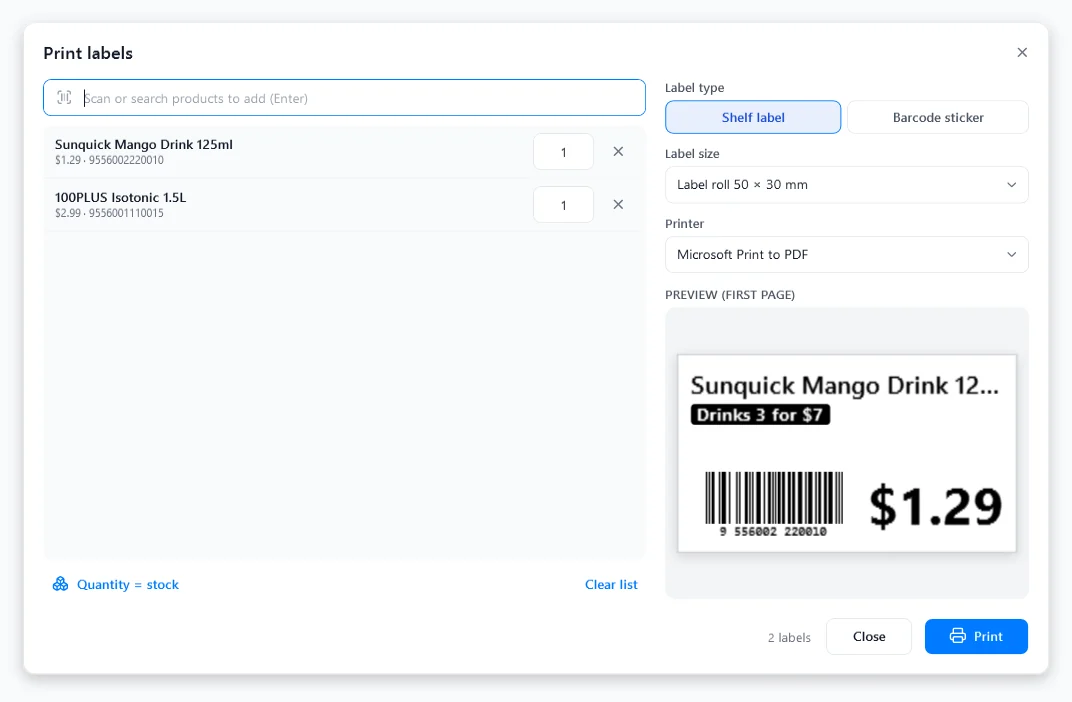
Shelf labels
Shelf labels and barcode stickers for label rolls or A4 / Letter sheets.
Full screen
Shelf labels
Shelf labels and barcode stickers for label rolls or A4 / Letter sheets.
Promotions and members
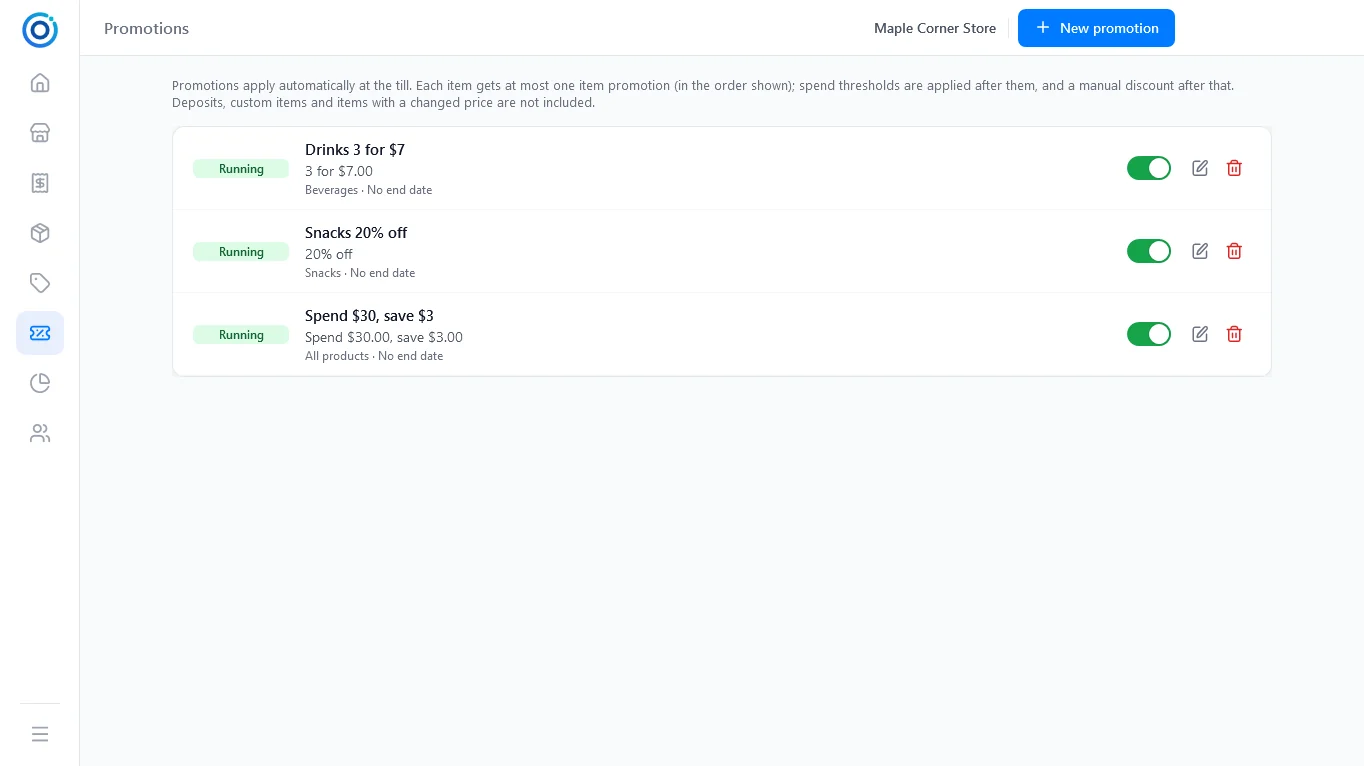
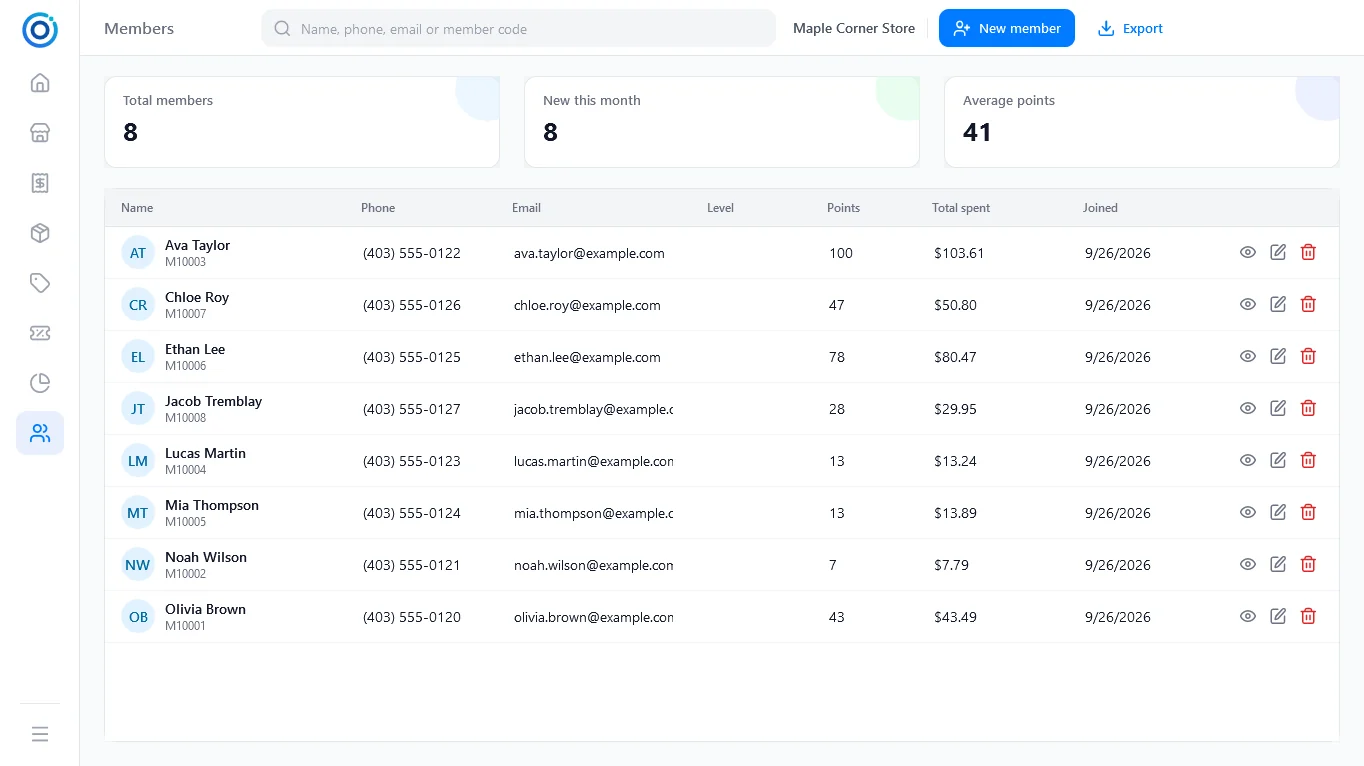
Multi-buys, percent off and spend thresholds apply by themselves; members earn points on every purchase.
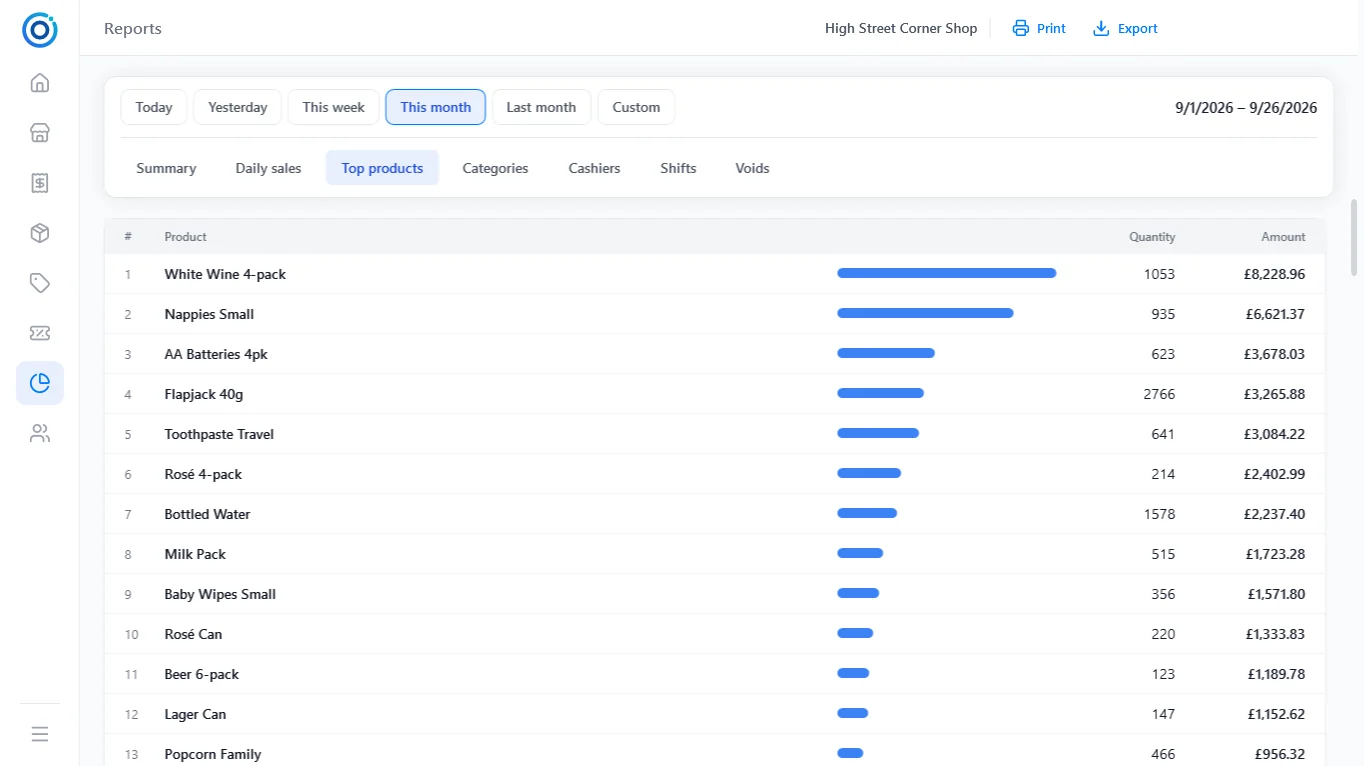
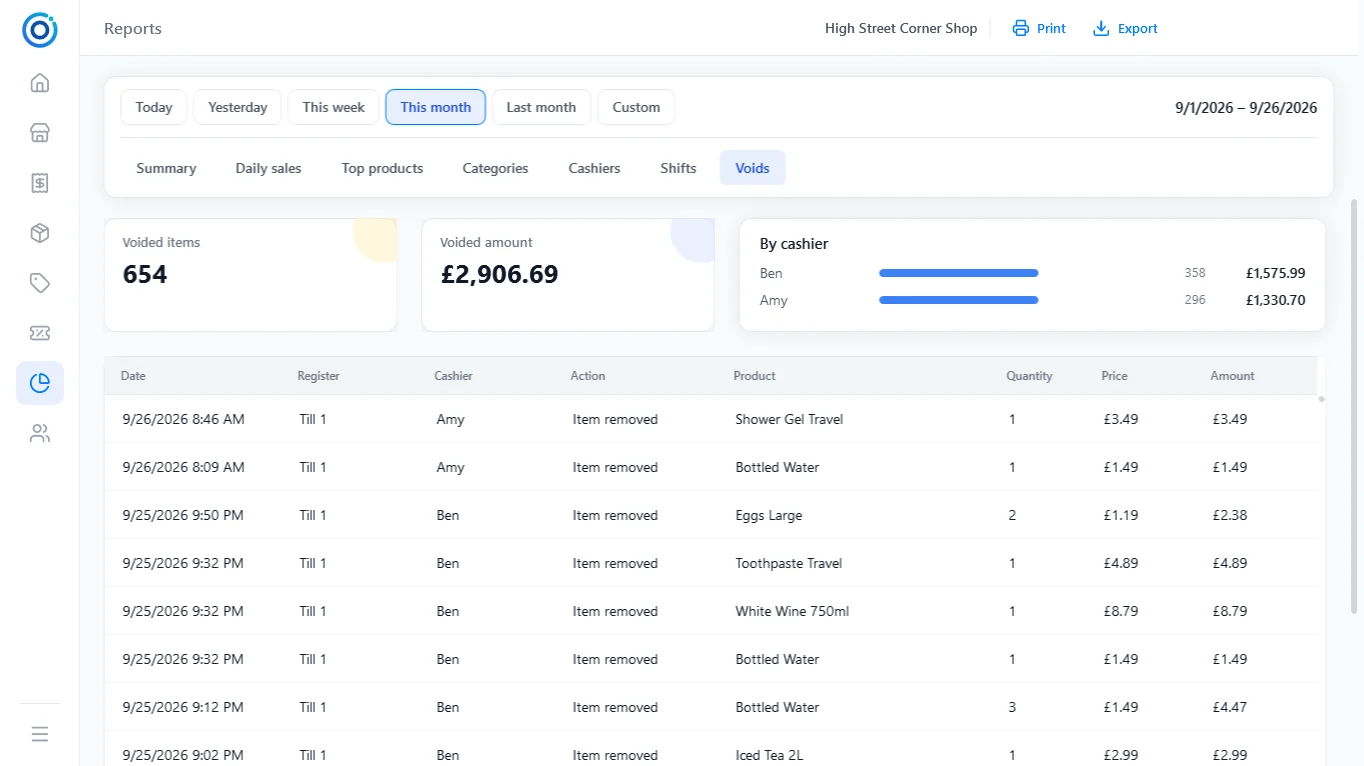
Reports
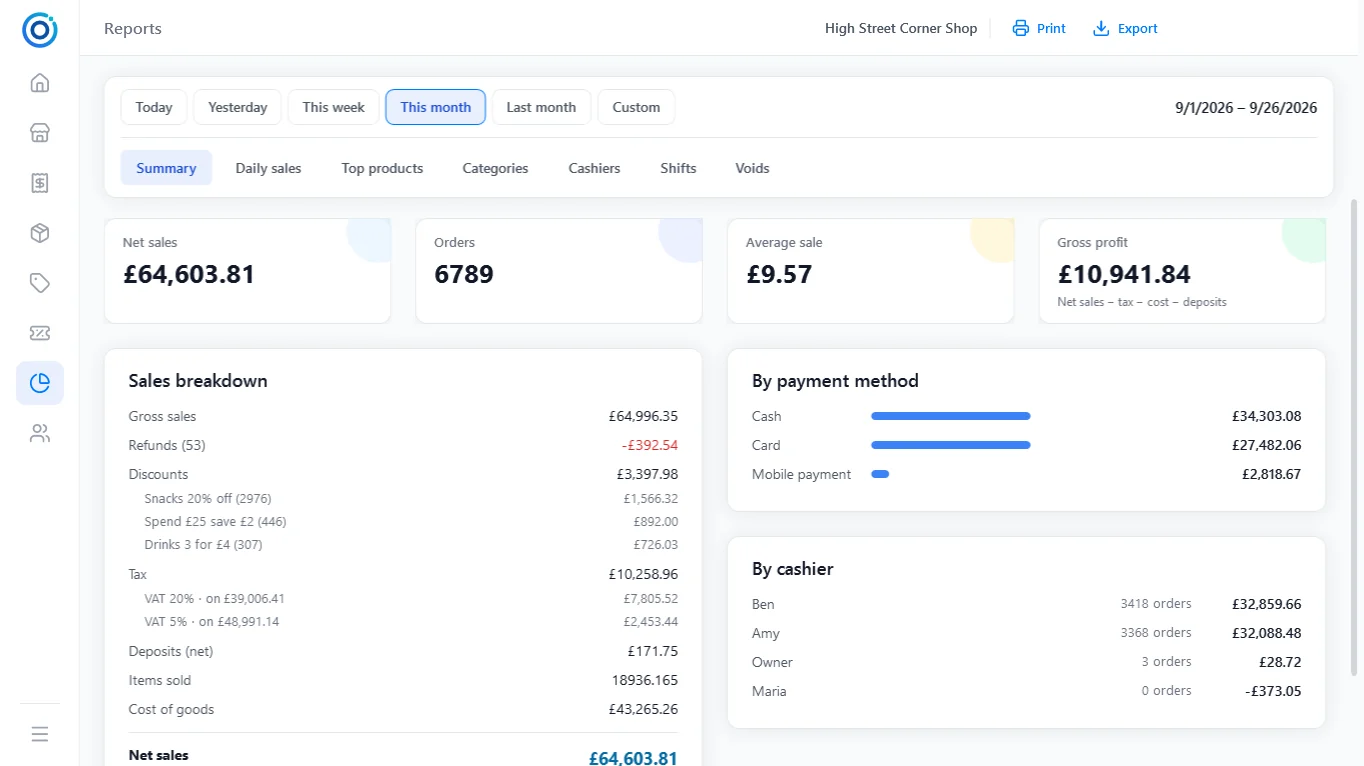
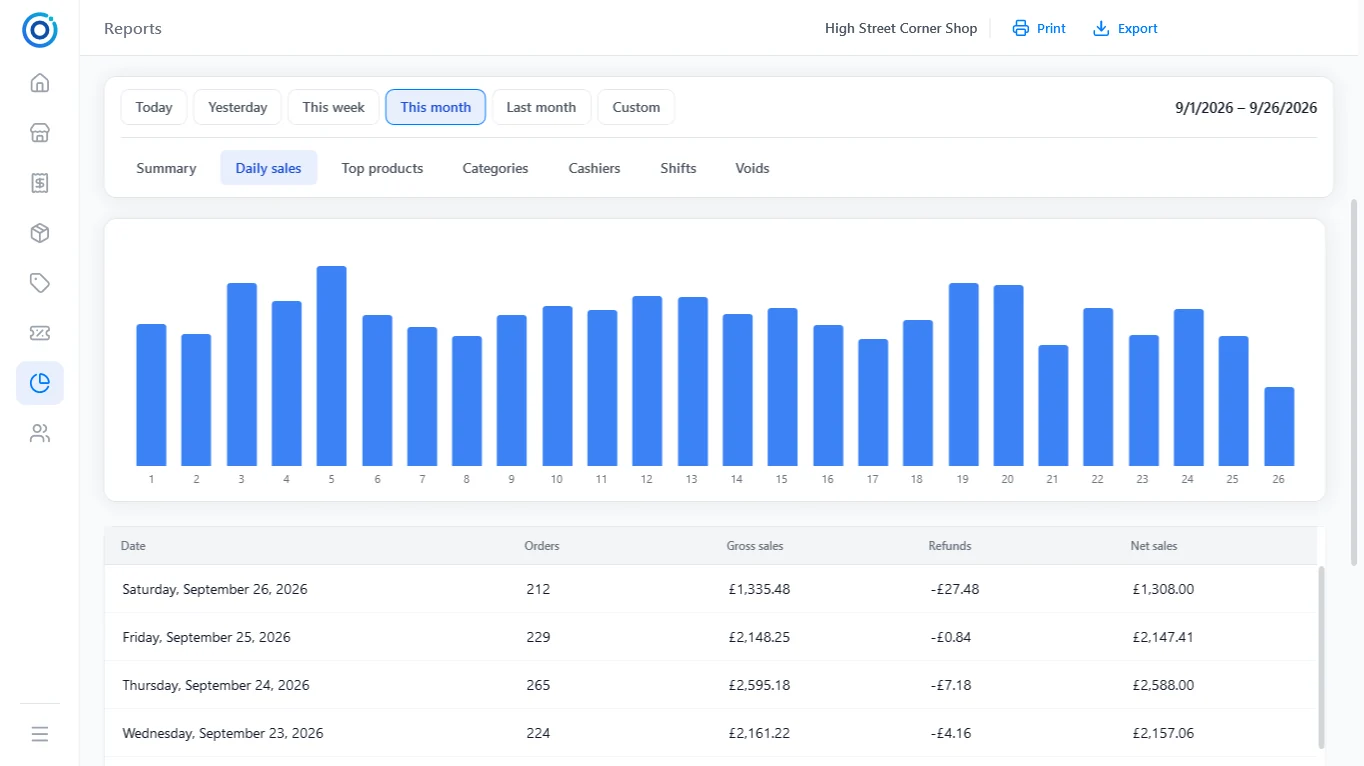
Seven report tabs for any period, each exportable to CSV.
Setup and settings
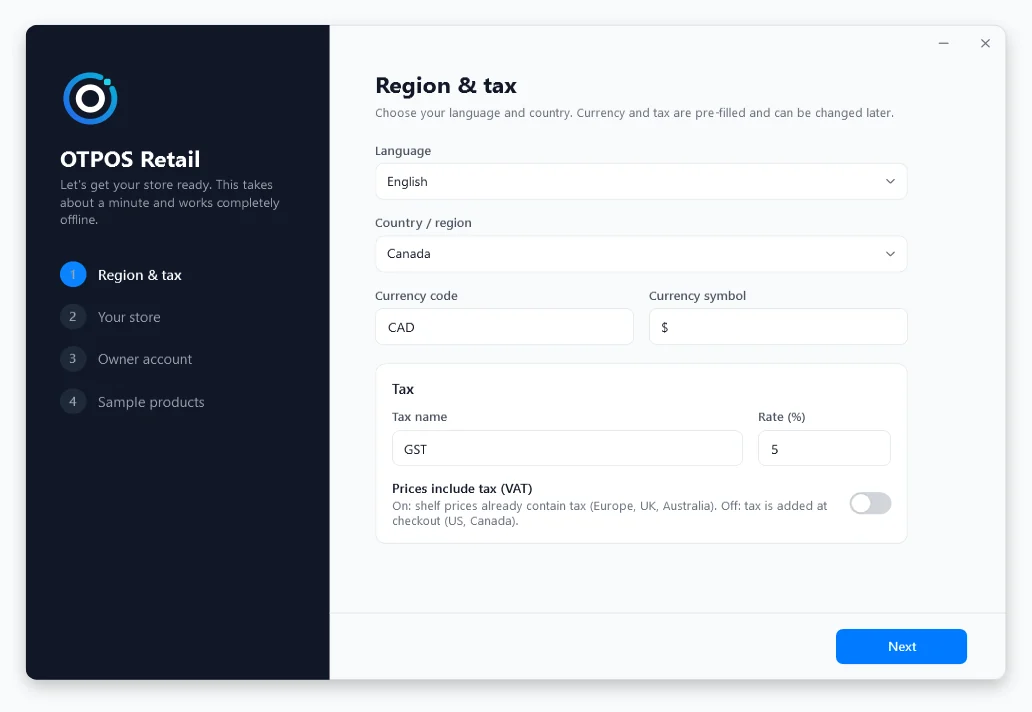
A four-step wizard gets a new store running; everything can be adjusted later.
 Full screen
Setup wizard
Currency, tax and cash rounding filled in from your country.
Full screen
Setup wizard
Currency, tax and cash rounding filled in from your country.
 Full screen
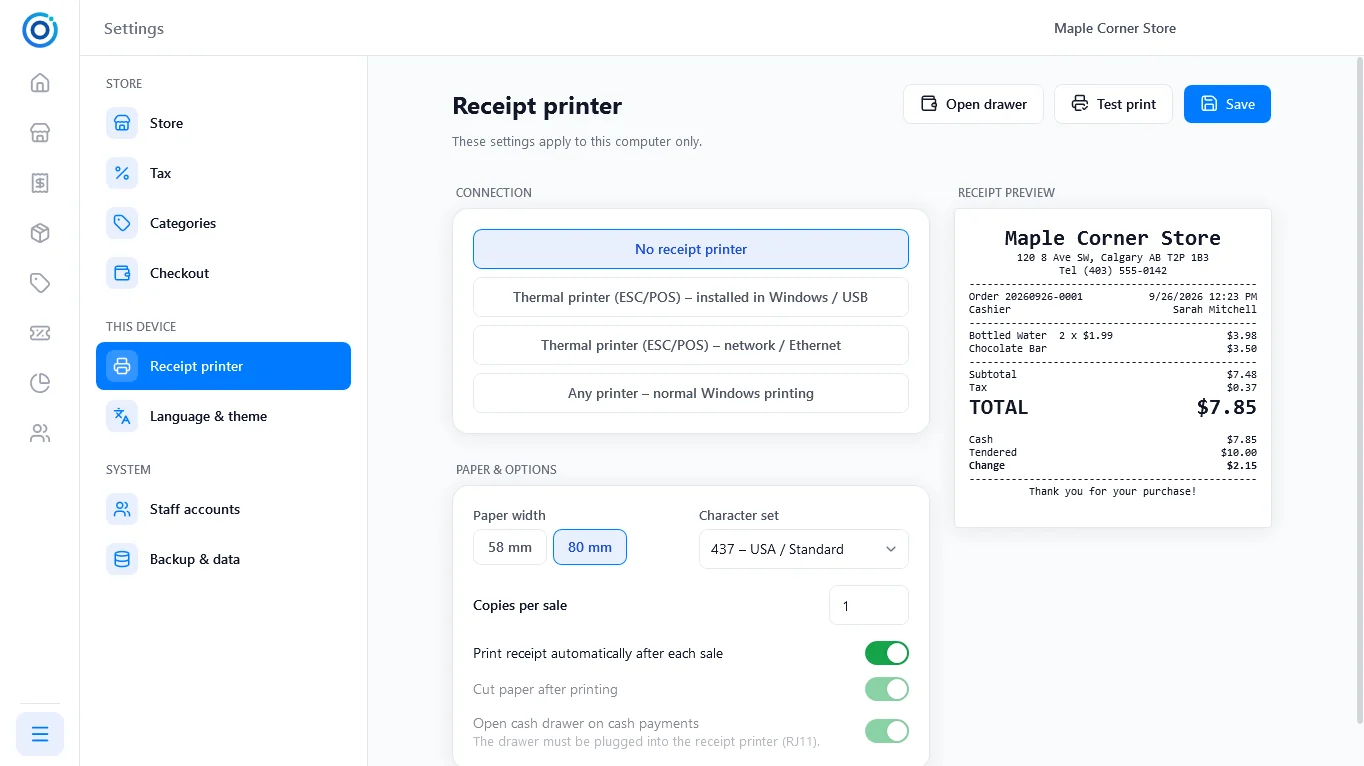
Receipt printer
58 mm or 80 mm ESC/POS receipts with a live preview.
Full screen
Receipt printer
58 mm or 80 mm ESC/POS receipts with a live preview.
 Full screen
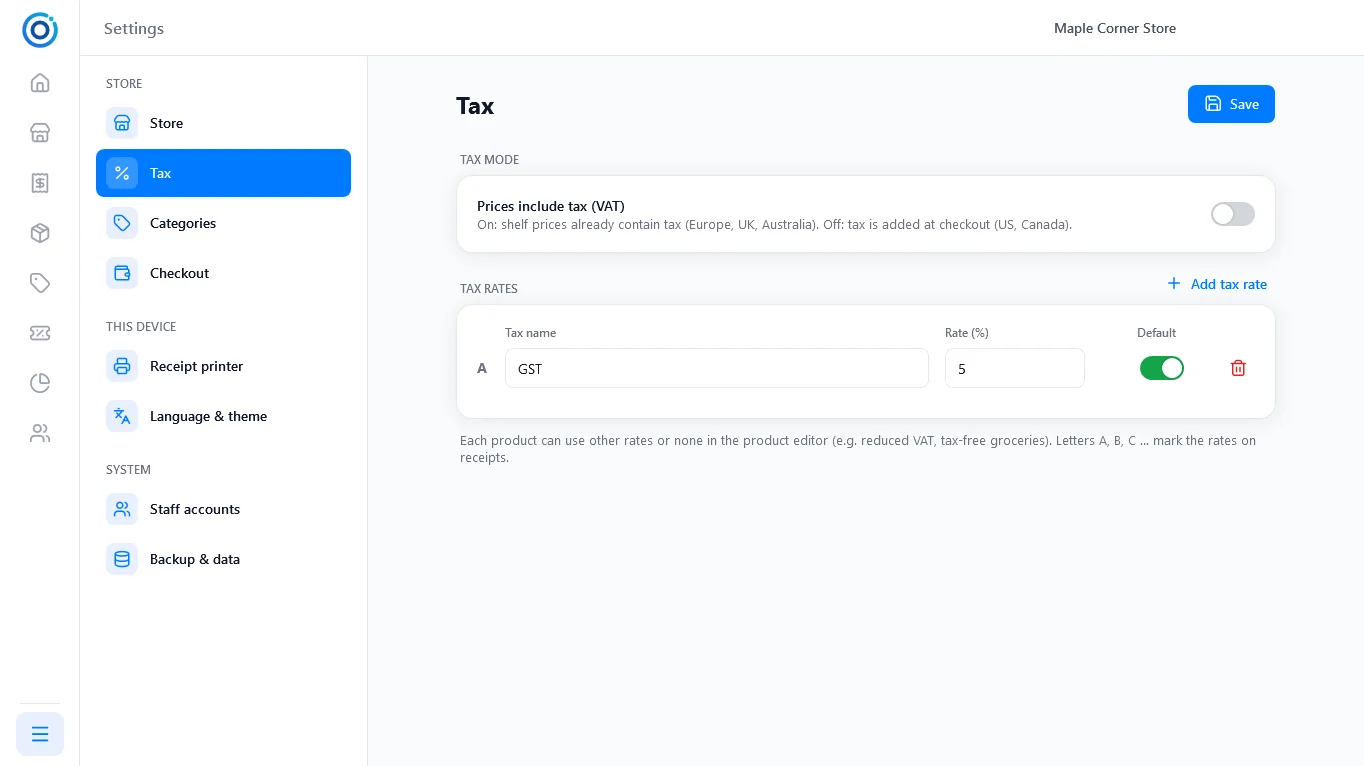
Tax
Tax added at checkout or included in prices, with several rates.
Full screen
Tax
Tax added at checkout or included in prices, with several rates.
 Full screen
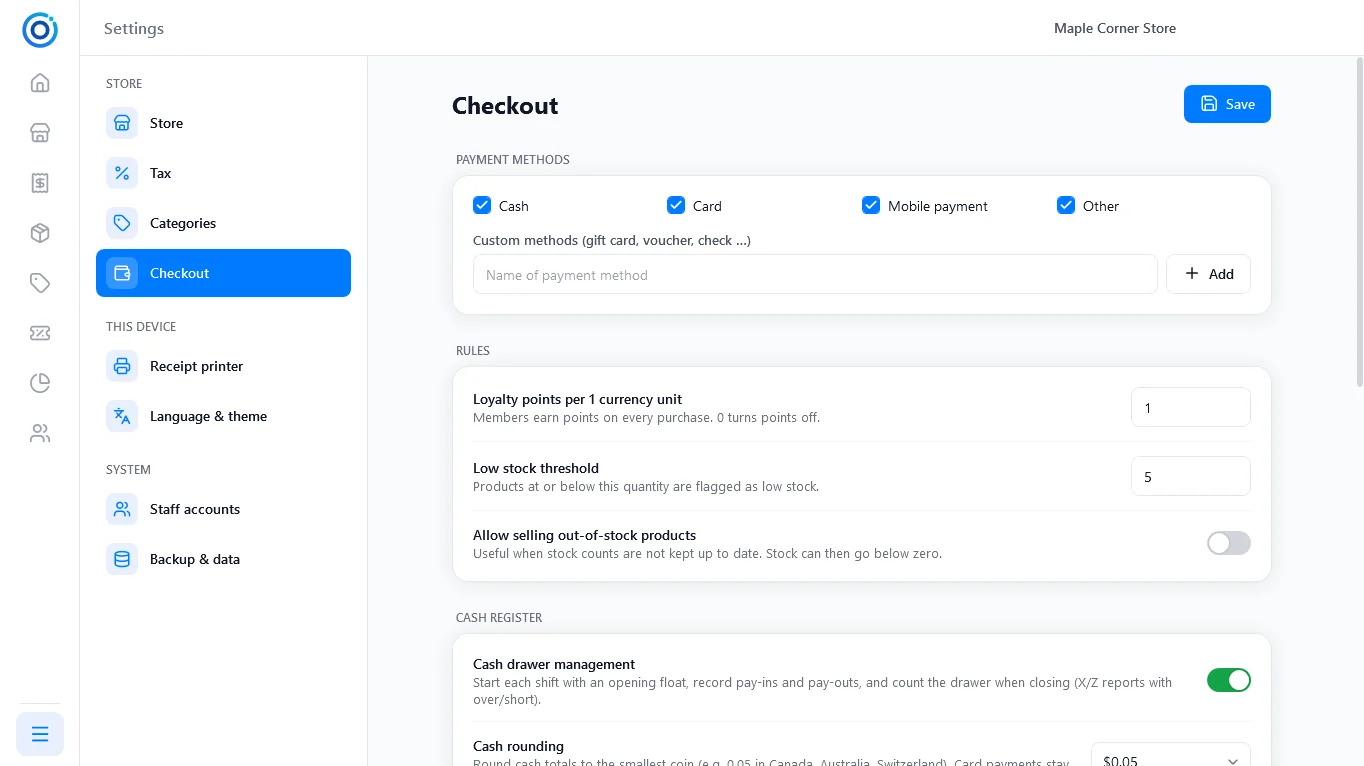
Checkout
Payment methods, loyalty points, cash drawer and cash rounding.
Full screen
Checkout
Payment methods, loyalty points, cash drawer and cash rounding.
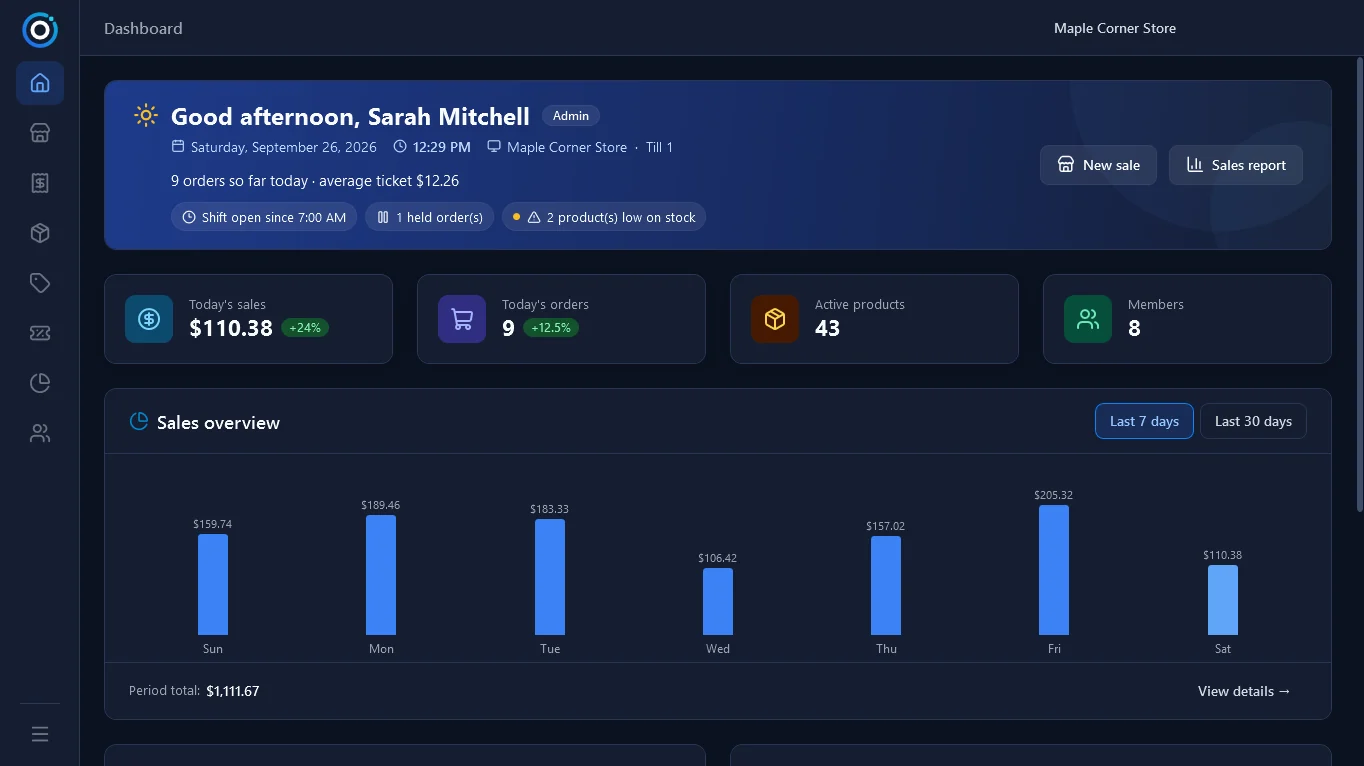
Dark mode and four languages
English, French, Spanish and Simplified Chinese, in a light or dark theme.
Try the POS software yourself
Install OTPOS Retail on a Windows PC and ring up your first sale in minutes. No account and no monthly fees.